I wish I had a dollar for each time someone asked me "How can I market my book?" I get emails all the time from people I don't know asking me this. So, here's a recent email exchange with some answers to that question. The answers will differ depending on what your write, when you wrote it, and how it's published. Some of these tactics do apply to everyone, however.
Emailer: I am wondering about ways that you have marketed your books [that would help me].
Me:
To start, here are some questions I have for
you:
Is your book fiction or non-fiction?
When was your book released?
Do you have a blog?
Is your book on your web site?
Where is your book available?
Are you on Twitter?
Are you on Facebook?
Let's see what your answers to those questions are
and we can go from there.
Yes, all those questions really do make a difference. It turns out that the book in question was self-published - in print only - and 3 years ago! Of course, 3 years ago, self-publishing wasn't as "accepted" as it is today. So, even though the book has been out since 2008, that doesn't mean it's a lost cause - its odds are better today than they were back when it came out. However, the book isn't available anywhere except the author's web site. The author is on Twitter and Facebook - but doesn't use those platforms to promote the book - at all.
After giving me the information I needed to formulate a response, the Emailer asked: I am wondering, "What has given you the most results in exposure and sales or is
it a combination of things?"
Me:
Unfortunately, there's no way of knowing what gives
the most exposure since usually so many things are going on at the same time.
The things one would think provide the best exposure (i.e. television
appearances - 2 of them!) have resulted in little or no traffic - let alone
sales. It really seems that it's a cumulative thing.
Honestly, the best thing to do is write more
books. If you're not planning on writing more books, then the best you can do
is get yourself out there and hope people find you.
Non-fiction is much easier to market than fiction
because you are an "expert" in the subject you wrote about. Go to blogs and
discussion boards on your topic and post comments - most important - with links
to your website. Don't make salesy comments - you need to establish yourself as
someone with good input. That's the point of that. Join online groups and give
your input on topics. It's a lot of work, but it will pay off if you're
diligent.
Who is your publisher? Your book isn't available
on their web site? Many self-pub houses will charge a small fee to get your
book into distribution. I'd definitely check on that. The eBook is extremely
important. Get yourself on Kindle and on Smashwords. EBooks are outselling
print books.
You should use Twitter. Tweet at least once a day
with some sort of interesting thing you're doing or some kind of advice based on
your book's content. Book signings, events, milestones - etc. - are great to
tweet about. Another good one is posting about other things you like - in my
case hockey, photography, etc. - you can check out my tweets at @AuthorKSBrooks
for example. If you use Twitter solely for pushy sales tweets, it will alienate
people. Follow people who have interests similar to yours and some of them will
follow you back but it will take time. And you might actually enjoy what you read on there! You can also set up Twitter so it posts
the tweets to your facebook page and other social networking sites which will save
you time.
Are you posting on your blog about your book? You
should also have guest bloggers who can post on your topic. They'll bring their
followers to your blog for a read and you can send out notices announcing the guest post which will refresh your
followers', friends', and fans' memories that you exist. When my first book
came out in 2001, it took 3 mentions of a product to spark familiarity to a
shopper. Now it takes 7, so getting out there using as many different venues
and "excuses" as possible is more important than ever. Do you have an
e-newsletter? If so, is there a way to subscribe on your web site? Here's an
example of a form to subscribe - and it's free - http://www.ksbrooks.com/conus.htm
Do you have sample chapters and/or excerpts on your web site? And on your web
site, do you have little buttons so people can follow you on twitter and
Facebook? See the bottom left of the page I just provided.
If you're planning on writing a bunch of books, you
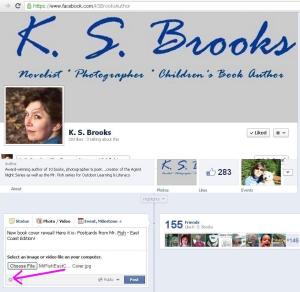
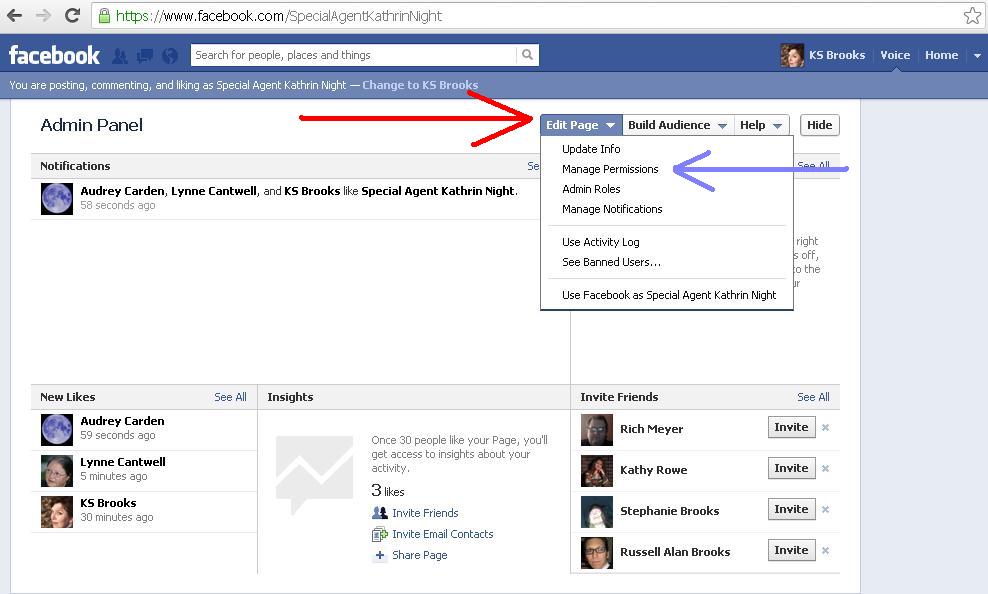
should have a facebook author page. If you're planning on only having one book, you should have a facebook page geared towards your book. Since I've got
a bunch of books, I did an author page - http://www.facebook.com/KSBrooksAuthor
I have other marketing advice for writers on one of
my blogs at http://authorksbrooks.blogspot.com/.
Posts are really geared towards helping writers with
publicity if you'd like to take a look at those.
The Emailer replied: Wonderful information, . . .thanks! I've got my work cut out for me.
Yes, it is a lot of work. Once you're set up, if you can get a rhythm going, it shouldn't be that hard to maintain. Good luck...and keep writing!